Apple’s Mac Studio, first launched in March 2022, was conceived as an answer to creative professionals trapped between an underpowered Mac mini and an exorbitant Mac Pro. Over four hardware cycles, the squat aluminum desktop transformed from a niche stopgap into the company's ultimate workstation, effectively replacing the modular Mac Pro entirely while anchoring Apple’s local AI and creative workflows.
Yet place the original 2022 desktop beside the newest revision, and you would be hard-pressed to distinguish between them without reading the laser etching on the underside. While Apple preserved the physical footprint, the silicon, memory architectures, thermal demands, and pricing tiers underneath have undergone a profound evolution.
The Unchanging Box: Four Generations in the Same Enclosure
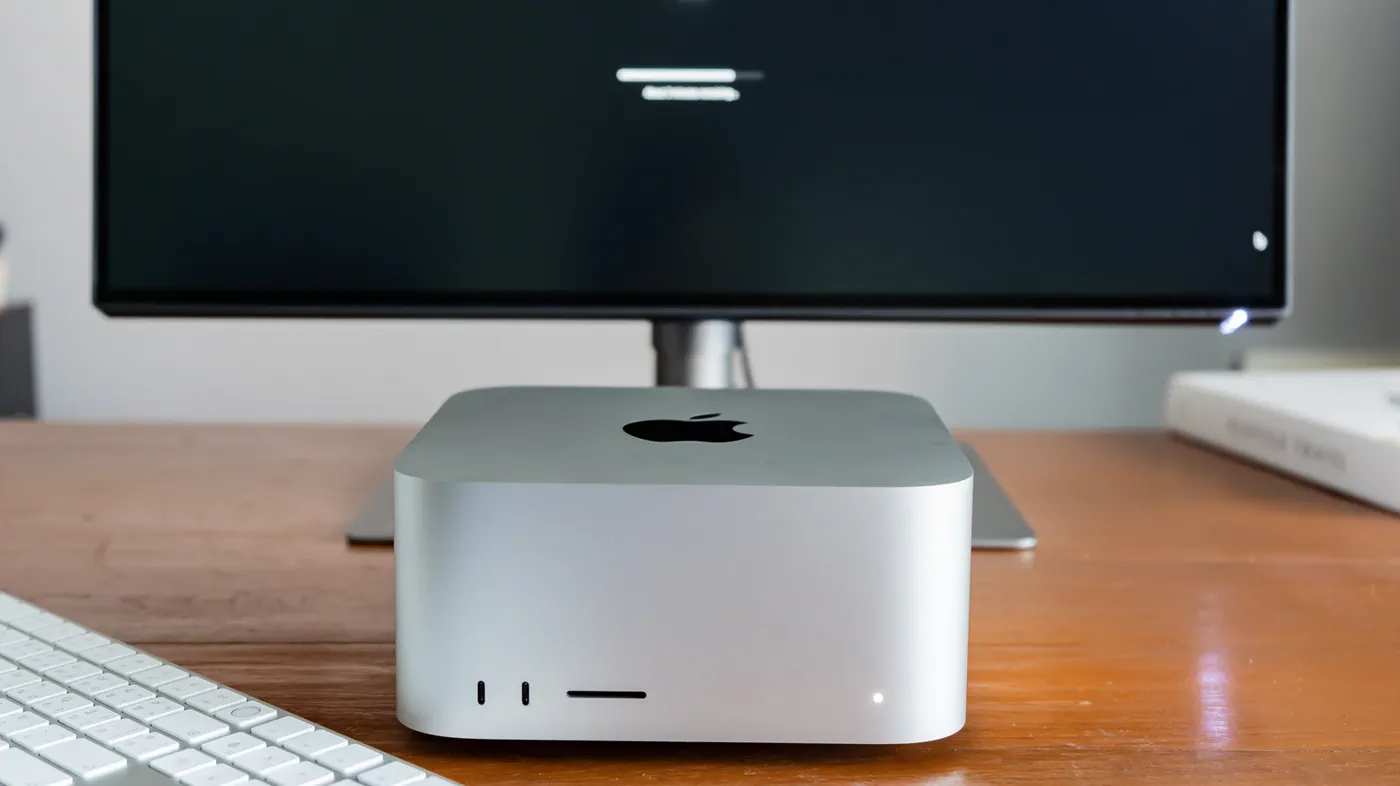
When Apple unveiled the original Mac Studio, design critics described it simply as two or three Mac minis stacked on top of each other. That 7.7-inch square footprint, standing 3.7 inches tall, has remained rigidly identical across four iterations. Machined from an extruded block of seamless unibody aluminum, the desktop was originally engineered with a very specific height tolerance: it could tuck precisely under Apple's companion Studio Display without blocking the bottom edge of the screen.
Rather than chasing aggressive chassis redesigns or colorways, Apple kept the identical silver finish across every model. The weight, however, has always varied by internal silicon. Base Max configurations feature a lighter aluminum heatsink block, keeping overall weight around 5.9 pounds to 6.0 pounds, while Ultra models employ an expansive, high-density copper thermal core that pushes the scale to a dense 7.9 pounds to 8.0 pounds.
Cooling relies on an unbroken bottom-up airflow design: double-sided blowers pull cool ambient air up through an intake ring drilled with over 2,000 micro-perforations along the perimeter base, pushing it through the chip’s heat sink and exhausting it out the back grille. Even during heavy loads, the design has remained whisper-quiet, maintaining idle acoustic pressure as low as 7 dBA.
Watch: Apple’s New M5 Ultra Mac Studio Is Absolutely INSANE

Video: 9to5Mac on YouTube
2022–2023: The M1 Debut and the Silicon Leap
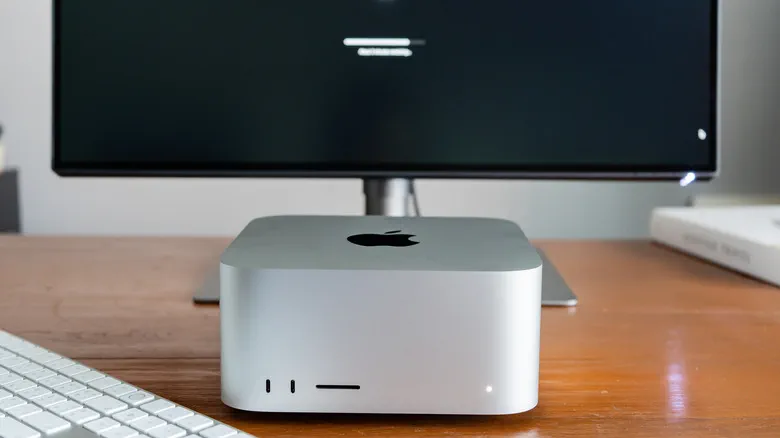 Photo: Engadget - Technology News & Expert Reviews (source)
Apple introduced the Mac Studio during its March 2022 "Peek Performance" event. The first-generation system launched with the M1 Max (a 10-core CPU and up to 32-core GPU) and introduced the world to the M1 Ultra. The Ultra was built on Apple’s proprietary UltraFusion architecture—a high-density packaging interconnect that bridged two M1 Max dies together into a single, cohesive System-on-Chip (SoC) boasting 114 billion transistors and 800 GB/s of bandwidth. Starting at $1,999 for the Max and $3,999 for the Ultra, it instantly outpaced the top-tier Intel-based 2019 Mac Pro for a fraction of the cost.
Fifteen months later at WWDC 2023, Apple delivered the second-generation refresh equipped with M2 Max and M2 Ultra silicon. The architecture maintained the original entry prices while expanding unified memory ceilings from 128 GB to 192 GB on the Ultra, alongside upgrades to Wi-Fi 6E, Bluetooth 5.3, and expanded 8K/240Hz external monitor capability over HDMI.
Crucially, 2023 marked the beginning of internal overlap within Apple’s lineup: Apple also released the Apple Silicon Mac Pro using that exact same M2 Ultra chip, charging a $3,000 premium primarily for internal PCIe slots that could not even support third-party graphics cards. The Mac Studio suddenly made the full-tower Mac Pro look redundant.
2025: The Split-Generation Setup
Following a lengthy 21-month gap, Apple refreshed the desktop line in March 2025 with an unexpected internal configuration: a split generation pairing an M4 Max with an M3 Ultra. Because TSMC’s advanced node schedules and packaging bottlenecks made an M4 Ultra unfeasible, Apple fused two M3 Max dies to create an M3 Ultra workstation tier, while giving the entry-level unit the newer single-die M4 Max.
Despite the mismatched generational naming, the 2025 refresh brought massive technical upgrades:
- Architectural Shifts: Hardware-accelerated ray tracing, mesh shading, and dedicated AV1 video decode engines.
- I/O Upgrades: Inclusion of Thunderbolt 5 with bi-directional transfer speeds up to 120 Gbps.
- Pro Ceilings: Memory expansion surged to 512 GB on the Ultra tier, alongside internal storage drive configurations reaching 16 TB.
By early 2026, Apple made the quiet decision to officially discontinue the Mac Pro without a successor, formally declaring the Mac Studio its premier workstation.
2026: M5 Advances, Hardware Clustering, and the Price Surge
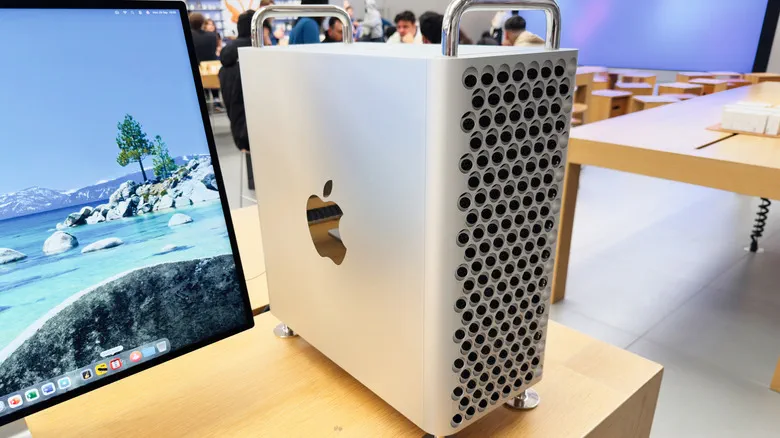 Photo: Engadget - Technology News & Expert Reviews (source)
In August 2026, Apple announced the fourth-generation Mac Studio, re-aligning both configurations under the same family: the M5 Max and M5 Ultra. The flagship M5 Ultra adopted an industry-first quad-die architecture tied together via next-generation UltraFusion, pushing memory bandwidth to an unprecedented 1.2 TB/s. It also incorporated the custom Apple N1 wireless networking processor to introduce Wi-Fi 7 and Bluetooth 6, plus native Genlock support over USB-C for broadcast studio camera sync.
Most significantly for artificial intelligence researchers, the M5 series introduced Thunderbolt hardware memory clustering. Developers could daisy-chain up to four Mac Studio units together via high-speed interconnects, virtually sharing pooled memory across a cluster to train and run massive localized Large Language Models (LLMs).
However, these capabilities arrived alongside an unprecedented price surge. Squeezed by industry-wide memory supply shortages (termed "RAMageddon" across component supply chains) and higher tier wafer packaging costs, Apple raised the baseline entry cost of the M5 Max to $2,499 (up $500), while the M5 Ultra base jumped to $5,500.
Generational Specs and Evolution
| Generation | Launch Date | Base / Flagship Chip | Top CPU / GPU Cores | Max Unified Memory | Peak Bandwidth | Top Storage | Base Price (Launch) |
|---|---|---|---|---|---|---|---|
| Gen 1 | March 2022 | M1 Max / M1 Ultra | 20-core CPU / 64-core GPU | 128 GB | 800 GB/s | 8 TB | $1,999 |
| Gen 2 | June 2023 | M2 Max / M2 Ultra | 24-core CPU / 76-core GPU | 192 GB | 800 GB/s | 8 TB | $1,999 |
| Gen 3 | March 2025 | M4 Max / M3 Ultra | 32-core CPU / 80-core GPU | 512 GB | 819 GB/s | 16 TB | $1,999 |
| Gen 4 | August 2026 | M5 Max / M5 Ultra | 36-core CPU / 80-core GPU | 512 GB | 1,200 GB/s (1.2 TB/s) | 16 TB | $2,499 |
Port Selection and Connectivity Over Time
 Photo: Engadget - Technology News & Expert Reviews (source)
While external port cutouts remained fixed, connectivity protocols accelerated noticeably behind the aluminum unibody:
- Front Panel: The front keeps its full-sized SDXC (UHS-II) card slot across all generations. On Max configurations, the two front USB-C ports operated at 10 Gbps (USB 3.2 Gen 2) through 2025, while Ultra models provided 40 Gbps Thunderbolt 4 on Gen 1–2, and Thunderbolt 5 (120 Gbps) from Gen 3 onward.
- Rear Panel: The rear layout features four Thunderbolt ports, two USB-A ports (5 Gbps), a 10Gb Ethernet jack, a 3.5mm headphone jack with high-impedance headphone detection, and an HDMI port. HDMI upgraded from 2.0 to 2.1 in 2023, unlocking 8K displays at 60Hz and 4K up to 240Hz.
- Internal Storage: While the Mac Studio does feature removable flash storage modules slotted into its logic board, Apple locks down drive pairing at the controller level; proprietary serialization requires Apple Configurator to swap or replace drives.
What It Means for Buyers and Upgraders
If you own an M1 Max or M1 Ultra, your hardware remains capable for traditional 4K ProRes editing and graphic design, but modern workflows have outpaced it. The lack of hardware ray tracing, an older 11-to-22 TOPS Neural Engine, and Thunderbolt 4 limits modern throughput. Upgrading to later hardware delivers dramatic acceleration for rendering engines like Octane, Blender, and Final Cut timeline exports.
For M2 and M3/M4 generation owners, upgrading is primarily dictated by scale. If your tasks center on video mastering, music production, or photography, existing configurations are far from saturated. However, machine learning developers, enterprise teams running local 70B+ parameter models, and 3D simulation artists will benefit directly from the M5 generation’s 1.2 TB/s memory bandwidth and Thunderbolt hardware clustering.
Budget-conscious creators should note that the secondary market for refurbished M2 Max and M4 Max Studios offers substantial value, avoiding the heavy memory price premiums attached to the newest flagships.
What’s Next: The Unanswered Questions
With the Mac Pro discontinued and the Mac Studio elevated to Apple's chief hardware flagship, questions remain regarding workstation expansion. Without PCIe slot functionality, enterprise studios remain wholly dependent on external Thunderbolt expansion enclosures for capture cards, audio interfaces, and external storage arrays.
Furthermore, high-bandwidth LPDDR5X pricing pressure continues to loom over professional hardware lines. Observers are watching closely to see whether Apple will eventually introduce modular internal storage expansions or adopt advanced 2-nanometer architecture variants for future Studio revisions to combat soaring packaging costs.
FAQ
Can you upgrade the RAM or SSD in a Mac Studio after purchase? No, the unified memory is soldered directly into the processor packaging and cannot be expanded later. While the internal SSD exists on removable daughtercards, cryptographic controller locks require Apple service restoration, making aftermarket end-user storage upgrades generally impractical.
Why did Apple raise the price of recent Mac Studio models? Apple cited extreme spikes in memory and advanced packaging component costs, industry-wide price inflation for high-speed LPDDR5X chips, and wider supply pressures across ultra-high-density silicon.
Does the Mac Studio support dual or triple external displays? Yes, the Mac Studio easily drives multiple high-resolution displays. Depending on the silicon generation, Max and Ultra models can run between four and eight external displays simultaneously across Thunderbolt and HDMI at up to 8K resolution.
Why was the Mac Pro discontinued in favor of the Mac Studio? Once Apple Silicon merged the CPU, GPU, and RAM into a single unified die architecture, large workstation towers lost their primary advantages: the architecture could not support modular discrete GPUs or standard consumer RAM sticks, making the compact Mac Studio equally fast and much cheaper to produce.